
Download KingshiperZip – Free, Secure File Compression Software for Windows
KingshiperZip is a powerful, lightweight, and user-friendly file compression tool designed specifically for Windows users. This free software stands out in a crowded market by offering robust support for a wide range of archive formats, including RAR, ZIP, 7Z, TAR, GZ, XZ, and many more. Whether you're extracting a compressed folder from a colleague or reducing the size of large video files for email, KingshiperZip delivers fast, reliable performance without compromising security.
With built-in support for compressing common file types such as images, audio, video, PDFs, Word documents, Excel spreadsheets, and PowerPoint presentations, it’s an ideal solution for both personal and professional use. The software is completely free to download and use, with no hidden fees or trial limitations. Its intuitive interface ensures that even beginners can navigate the tool effortlessly.
KingshiperZip is also known for its minimal system footprint, meaning it runs smoothly on older machines without slowing down your workflow. For users who frequently deal with digital files, this tool simplifies file management, enhances storage efficiency, and streamlines sharing across platforms. Whether you're a student, freelancer, or business professional, KingshiperZip helps you organize your digital life with ease.
Key Features of KingshiperZip
KingshiperZip comes packed with features that make it a standout choice among file compression tools. One of its most notable strengths is its broad format compatibility. Unlike many free alternatives that only support ZIP files, KingshiperZip supports over 15 archive types, including RAR, 7Z, TAR, GZ, XZ, BZ2, TAZ, TGZ, TXZ, and more.
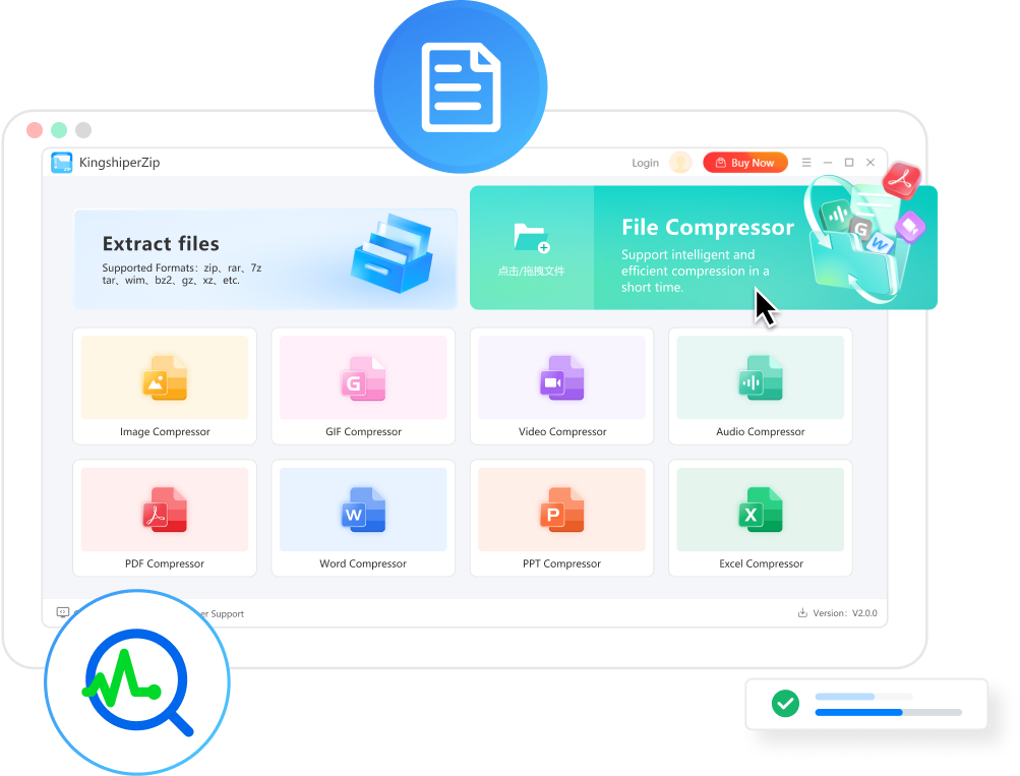
This means you can open, extract, and compress files from virtually any source without needing multiple tools. The software also includes specialized compressors for different file types—video, image, audio, GIF, PDF, Word, Excel, and PowerPoint—ensuring optimal compression ratios without sacrificing quality. For example, when compressing high-resolution images or 4K videos, KingshiperZip maintains clarity while drastically reducing file size.
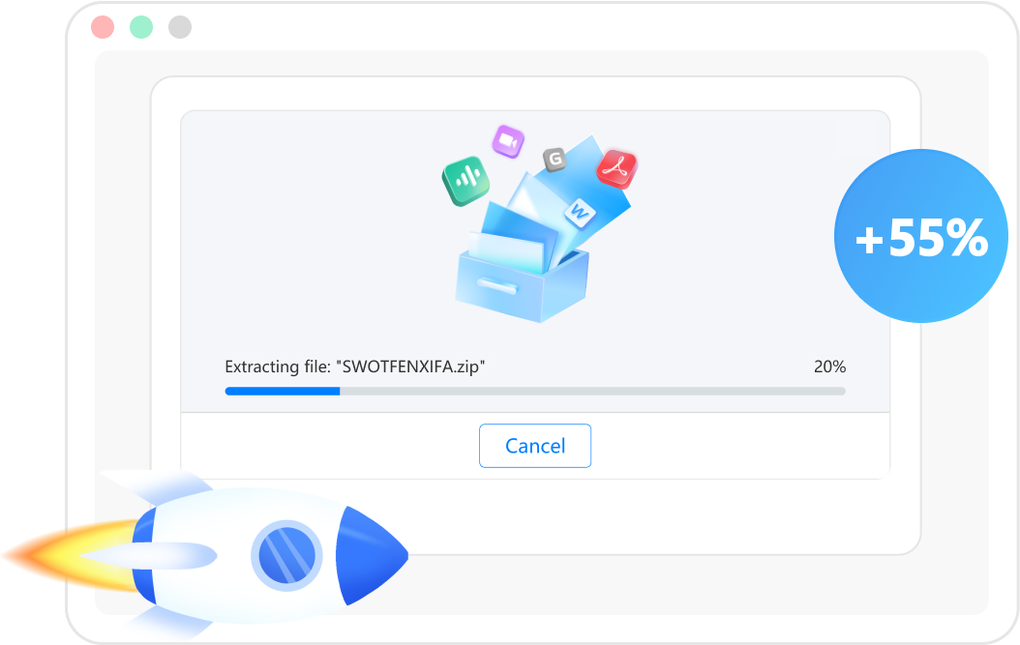
Another major advantage is its speed. The tool leverages optimized algorithms to deliver fast compression and extraction, significantly cutting down processing time compared to older software. The clean, minimalist interface is fully customizable, allowing users to set default compression levels, choose output locations, and enable auto-extraction for incoming archives.
Additionally, KingshiperZip includes built-in security features like password protection for archives and encrypted compression, which is essential for safeguarding sensitive data. It also supports batch processing, enabling users to compress or extract multiple files at once. These features, combined with regular updates and a strong focus on privacy, make KingshiperZip a trustworthy and efficient tool for modern digital workflows.
- Supports over 15 archive formats: ZIP, RAR, 7Z, TAR, GZ, XZ, BZ2, TGZ, TXZ, TAZ, and more
- Specialized compressors for images, videos, audio, GIFs, PDFs, Word, Excel, and PPT files
- Fast compression and extraction speeds with low CPU usage
- Batch processing for multiple files at once
- Password protection and encryption for secure archives
- Minimalist, intuitive user interface with customizable settings
- Free to download and use with no ads or trial restrictions
- Regular updates for security and performance improvements
How to Install and Use KingshiperZip
Installing KingshiperZip is a straightforward process that takes just a few minutes. Begin by visiting the official download page and clicking the “Download” button to get the latest version of the software. The installer is lightweight (under 10MB) and does not bundle third-party software or adware—something many users appreciate in free tools.
Once downloaded, run the installer and follow the on-screen prompts. You’ll be asked to choose your installation directory and whether to create desktop shortcuts. The setup is quick and requires no technical expertise.
After installation, launch the app from the Start menu or desktop icon. The main interface is clean and well-organized, featuring a file browser on the left and a toolbar with common actions like “Add to Archive,” “Extract,” and “Open.” To compress a file, simply select it, click “Add to Archive,” choose your desired format (ZIP, 7Z, etc.), and set compression level (Fast, Normal, Maximum). For extraction, right-click any archive file and select “Extract with KingshiperZip” from the context menu—this integrates seamlessly with Windows Explorer.
You can also drag and drop files directly into the app window for instant processing. Advanced users can access settings via the gear icon to tweak default behaviors, enable auto-extraction, or adjust security options. The software also supports command-line operations for automation, making it suitable for power users.
With its simple workflow and reliable performance, KingshiperZip becomes an essential part of your daily digital toolkit.
Compatibility and System Requirements
KingshiperZip is designed exclusively for the Windows operating system, supporting Windows 7, 8, 8.1, and Windows 10/11 (both 32-bit and 64-bit versions). It is optimized for modern hardware but runs efficiently on older systems with minimal RAM and processing power. The software requires at least 512 MB of RAM and 50 MB of free disk space, making it accessible even on low-end machines.
Because it’s a standalone application, there’s no need to install additional libraries or frameworks. KingshiperZip integrates smoothly with Windows File Explorer through context menu extensions, allowing you to right-click any archive and extract or compress it instantly. This integration enhances usability and reduces workflow interruptions.
While the tool is currently only available for Windows, the developers have hinted at future releases for Mac and Linux, though no official timeline has been announced. For users on other platforms, alternatives like 7-Zip or PeaZip are recommended. However, for Windows users seeking a free, secure, and feature-rich compression tool, KingshiperZip remains one of the top choices.
Its consistent updates ensure compatibility with new Windows versions and evolving file formats, so you can trust it to work reliably for years to come.
Pros and Cons of KingshiperZip
- Pros:
- Free to download and use with no ads or hidden costs
- Supports a wide range of archive formats, including RAR, 7Z, TAR, GZ, XZ, and more
- Fast compression and extraction speeds with low system resource usage
- Specialized compressors for media and office files
- Secure with password protection and encryption
- Intuitive interface with drag-and-drop support
- Batch processing and context menu integration
- Regular updates and strong privacy focus
- Cons:
- Currently only available for Windows (no Mac or Linux support)
- Limited customization options for advanced users
- No built-in cloud integration or sharing features
- Interface, while clean, may feel basic compared to premium tools
Frequently Asked Questions (FAQ)
Is KingshiperZip free to download and use?
Yes, KingshiperZip is completely free to download and use. There are no trial periods, subscription fees, or hidden charges. The software is ad-free and does not collect user data, making it a safe and transparent choice for everyday file management.
What file formats does KingshiperZip support?
KingshiperZip supports over 15 archive formats, including ZIP, RAR, 7Z, TAR, GZ, XZ, BZ2, TGZ, TXZ, TAZ, and more. It can also compress and extract common file types like images, videos, audio, PDFs, Word documents, Excel files, and PowerPoint presentations.
Can I use KingshiperZip to compress large video or image files?
Yes, KingshiperZip includes specialized compressors for video, images, and audio files that maintain quality while reducing file size. This makes it ideal for optimizing large media files for storage or email sharing.
Is KingshiperZip safe and secure?
Absolutely. KingshiperZip is a secure, lightweight tool that does not contain malware or tracking scripts. It supports password protection and encryption for sensitive archives, ensuring your data stays private.
Does KingshiperZip work on Windows 11?
Yes, KingshiperZip is fully compatible with Windows 11, as well as Windows 10, 8.1, 8, and 7 (both 32-bit and 64-bit versions).
Conclusion: Why You Should Download KingshiperZip Today
KingshiperZip is a reliable, free, and secure file compression tool that delivers excellent performance for Windows users. With support for multiple archive formats, fast processing speeds, and specialized compressors for media and office files, it simplifies digital file management. Its clean interface, batch processing, and encryption features make it suitable for both beginners and advanced users.
While it’s currently limited to Windows, its robust feature set and commitment to privacy make it a top contender in the free compression software space. If you’re looking for a lightweight, efficient, and trustworthy tool to compress, extract, and organize your files, KingshiperZip is an excellent choice. Don’t miss out—download KingshiperZip today and experience seamless file management on your Windows PC.